| Developer | Sono Elements |
|---|---|
| Released | 13 August 2019 |
| Instrument type | Chiptune waveform player with organ-style octave mixing |
| Sounds | 30 waveforms |
| Formats | VST and AU instrument |
| Systems (original page) | Windows 7, 8, 10 and macOS |
| Launch price | US$19 |
| Status (checked 2 Nov 2026) | No longer sold; original store page gone |
Overview
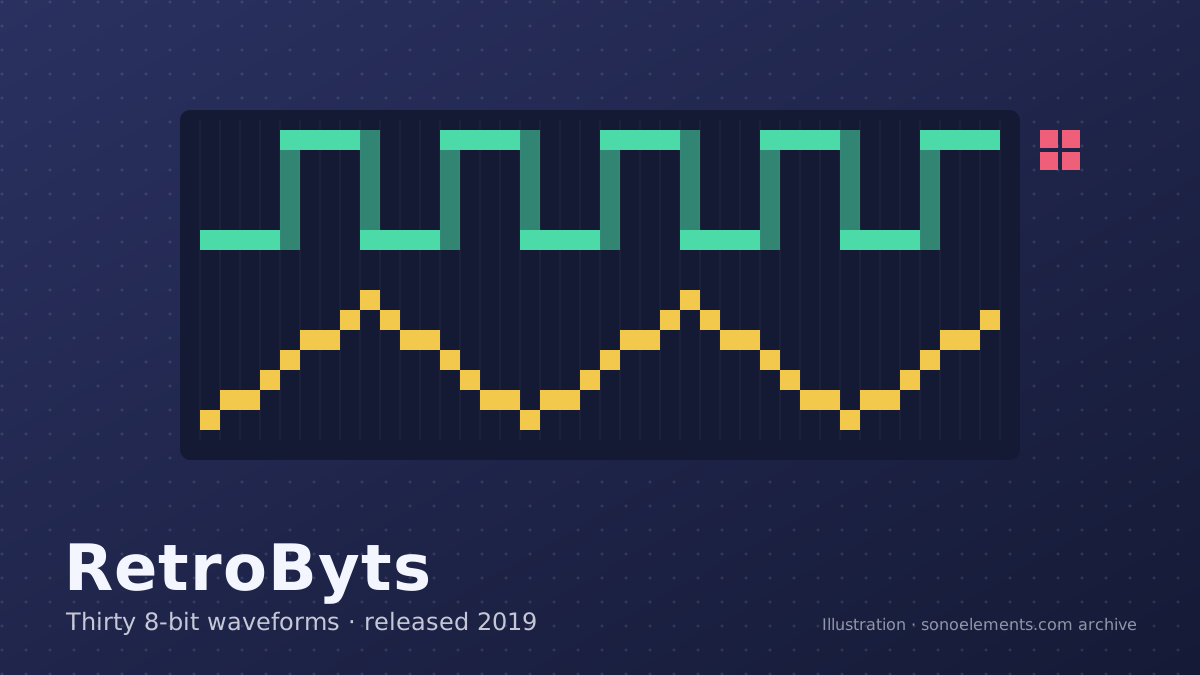
RetroByts, released on 13 August 2019, turned out to be the last instrument Sono Elements published on this site. It left vintage keyboards behind for the sound chips of 1980s home computers and game consoles: the Nintendo Entertainment System and the Commodore 64.
Those two machines made music in very different ways. The NES’s audio hardware offered two pulse (square) channels with a choice of duty cycles, a triangle channel usually used for bass, a noise channel for percussion and a simple sample channel. The Commodore 64’s SID chip had three voices, each able to produce triangle, sawtooth, variable-width pulse or noise, and an analogue filter that gave it a warmer, more synth-like character. Between them they defined much of what people now call chiptune.
RetroByts collected 5 NES waveforms, 10 C64 waveforms and 15 more from other retro consoles, 30 in total. Instead of recreating either machine’s channel layout, it put the waveforms inside the architecture of a basic organ: you choose a wave, then stack copies of it one and two octaves above and below, each panned where you like. The developer stressed that the result was simple to use and light on CPU.
Hear for yourself
RetroByts demo: “Adventure in 8-Bit Land (Bonk Remix)”
The original page stated that the demo used RetroByts alone, without external effects.
The recording belongs to the developer and is hosted by SoundCloud. Nothing is loaded from soundcloud.com until you click; after that, SoundCloud may set its own cookies (see the privacy policy). Open it on SoundCloud.User Interface
RetroByts had a different control set from the keyboard emulations. The diagram below follows the developer’s manual.
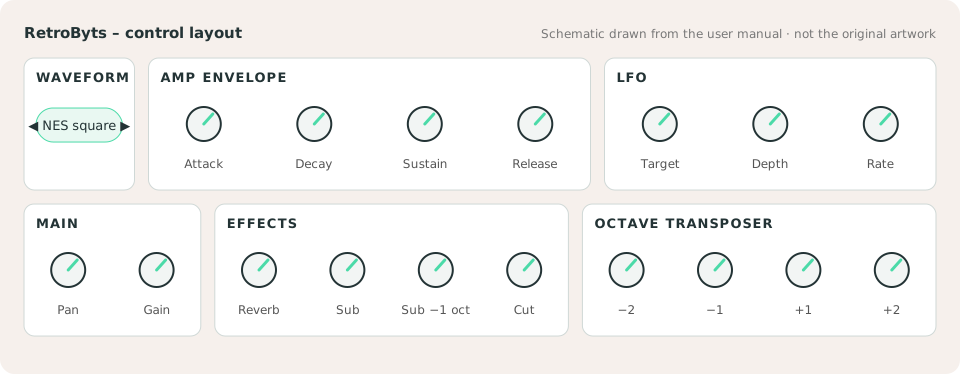
- Waveform selector: arrows step through the 30 waveforms, starting with the NES set.
- Gain: sets the selected waveform against the overall output; turned up fully it distorts on purpose.
- Sub: the main sub knob adds an 8-bit sub tone, and a smaller knob adds a second sub one octave lower. Mixing both gives a heavier low end.
- Octave transposer: the organ-style heart of the instrument. You can add the same wave two octaves down, one down, one up and two up, and each octave has its own small pan knob.
- Effects: a room reverb and a low-pass cutoff for softening the harsher waves.
Features
- 30 waveforms: 5 from the NES, 10 from the Commodore 64 and 15 from other retro consoles
- Organ-style 4-octave transposer with per-octave panning
- Two-stage sub oscillator
- LFO with selectable target, depth and rate
- Amplitude ADSR envelope, reverb and low-pass filter
- Main parameters controllable by MIDI CC (list in the FAQ)
- VST and AU instrument for Windows and macOS
Sounds
- 5 NES waveforms
- 10 Commodore 64 waveforms
- 15 bonus waveforms from other video game consoles
System requirements
- Windows 7 or 10, or macOS High Sierra or later (the product page also listed Windows 8)
- At least 60 MB of free disk space
- At least 1 GB of RAM
- A VST or AU host (DAW)
- Intel Core i5 at 1 GHz or better
Manual
RetroByts User Manual (PDF, about 800 KB)
Uploaded by the developer to the Internet Archive on 13 August 2019 and still available.
Purchase
At launch RetroByts cost US$19 and was sold through a Gumroad store page linked from the original article. That store page no longer exists: the link returned “not found” when this archive checked it on 2 November 2026. As far as this archive can tell, the plugin is no longer on sale anywhere.
This site does not sell RetroByts. It cannot issue licences, resend downloads, process refunds or look up past orders, because it is not run by the developer. See the FAQ for what we do and do not know.
By 2020 the product page also carried a short warning that RetroByts did not work on macOS Catalina (10.15) and that an update was on the way. The warning is missing from captures in December 2019 and present from September 2020. This archive has not been able to confirm whether that update was ever released, and it has no information about later macOS versions or Apple silicon Macs.
Sources
- Archived RetroByts page, 26 Sep 2020 (Wayback Machine)
- RetroByts user manual, uploaded by the developer (Internet Archive)
- Gearnews: RetroByts brings back the sounds of the C64 and NES
- MusicTech: Sono Elements’ RetroByts plug-in
- KVR Audio product listing: RetroByts
Original page: Wayback Machine capture of 26 September 2020. Last legitimate capture of this URL (6 weeks before the 9 Nov 2020 baseline; same design). Release date source: Date shown on the archived page; developer’s Internet Archive upload of 13 Aug 2019. This page was written on 2 November 2026 in new words; facts were checked against the sources above.